
AI Receptionist Software —
What It Is, What It Actually Does, and How to Pick One
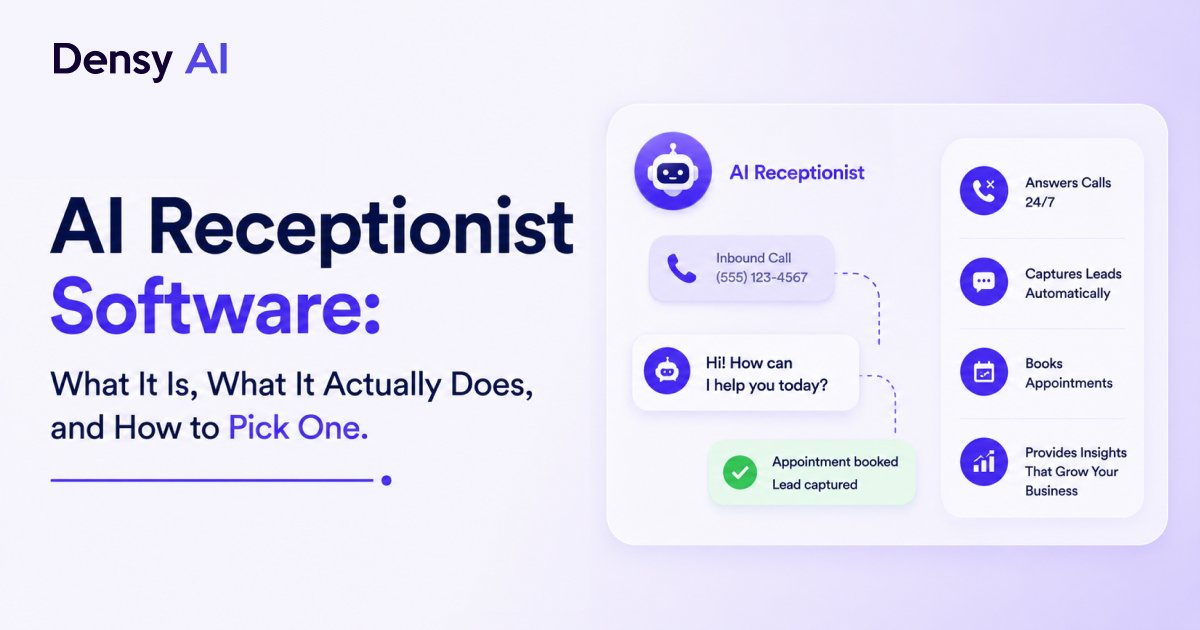
AI receptionist software handles the front-desk work that normally requires a human: answering every inbound call, qualifying callers, booking appointments, and following up automatically — 24/7. Here is how it actually works, what it costs, and how to evaluate which platform is right for your business.
What Is AI Receptionist Software?
AI receptionist software handles the front-desk work that normally requires a person: answering inbound calls, qualifying callers, booking appointments, sending confirmations, and following up on missed inquiries. It operates over voice, SMS, and sometimes email — all without anyone picking up the phone.
The critical difference between AI receptionist software and a traditional phone system is real conversation. IVR menus make callers press 2 for billing. An AI receptionist asks “what brings you in today?” and actually processes the answer — understanding context, handling follow-up questions, and managing interruptions without breaking the interaction. This is why the category has grown by over 500% in the past two years: the underlying technology has finally caught up to the use case.
Most platforms run on large language models combined with speech synthesis. That combination is what allows them to handle off-script callers, side questions, and caller-specific context — the things that made older chatbot and IVR systems frustrating. The result is a system that can genuinely replace the first layer of human front-desk work, not just automate a phone menu. The revenue cost of letting that first layer stay manual is significant for any business where inbound calls convert to bookings.
What AI Receptionist Software Actually Handles
The core jobs are roughly consistent across every platform. Here is what each one does and why it matters to your bottom line.
- 01Inbound call answering
Picks up every call within 1–2 rings, greets the caller with your business name, and handles the conversation from there. After hours, during lunch, when your team is busy — it does not matter. The call gets answered and the caller gets a real response, not voicemail.
- 02Lead qualification
Asks the questions you would normally ask: new or existing patient? What service? What is your timeline? Filters out junk calls and routes real leads appropriately — so your team spends time on conversations worth having, not on callers who were never going to book.
- 03Appointment booking
Connects to your calendar — Google Calendar, Calendly, or practice management software — and books slots in real time during the call. The caller hangs up with a confirmed appointment time. No back-and-forth, no callback needed.
- 04Missed call recovery
When a call slips through anyway, the AI sends an automatic text within seconds: "Sorry we missed you — reply here or click to book." Most platforms report 30–60% of those texts convert to booked appointments, recovering leads that would otherwise be gone permanently.
- 05Follow-up sequences
If someone inquires but does not book, the AI follows up by text or email on a schedule you set. Three touches over five days is a typical default. The sequence stops the moment they respond or book — no manual tracking required.
- 06CRM logging
Every call is transcribed, summarised, and pushed to your CRM automatically. Your team sees the full context without listening to recordings or transcribing notes — closing the loop between AI-handled first contact and human-led account management.
The platforms that do all six of these well are meaningfully different from those that only handle inbound answering. A system that answers calls but cannot book appointments, or books appointments but does not log to your CRM, creates new manual work rather than eliminating it. Evaluate end-to-end coverage, not just the front-door features.
Who Uses AI Receptionist Software
AI receptionist software delivers the highest return in service businesses where every incoming call has revenue attached to it and where the miss rate is structurally high — because staff are on-site with clients, or because call volume peaks in windows the team cannot fully cover.
Dental & Medical Practices
Front desks are chronically understaffed and miss calls during check-in, procedure time, and lunch. An AI receptionist answers every call, handles new patient intake, and books appointments directly — without adding headcount.
See industry details →Insurance Agencies
New lead response time determines close rate. An AI that responds in under 60 seconds — at 11pm on a Sunday or during a busy Monday morning — is a competitive advantage most agencies do not have yet.
See industry details →Home Service Businesses
Plumbers, HVAC technicians, and electricians cannot answer calls while working. The AI does — qualifying the job, collecting address and urgency, and booking the appointment while the technician is still on-site.
See industry details →Real Estate
Leads from property portals have a contact window measured in minutes. An AI that answers immediately and books a showing in the same call converts these leads before they reach the next agent on their shortlist.
See industry details →Legal firms also use AI receptionist software for intake qualification — filtering out non-qualifying callers before a human attorney spends time on the call. The AI phone answering service use case extends across any professional services business where call handling is a meaningful time cost and where a robotic phone menu would send the wrong signal to clients.
What Separates Good Platforms From Mediocre Ones
Feature count is not the right evaluation lens. What actually matters is how the platform behaves at the edges — when a caller does something unexpected, when an integration fails, when a booking falls through. These five criteria separate platforms that deliver from ones that frustrate your callers.
Voice quality and latency
Does it sound like a robot, or like a person? This matters more than most buyers expect. A robotic voice signals to callers that they are not being taken seriously — and some hang up before the conversation starts. Natural, low-latency voice (under 800ms response time) is the baseline to look for. Ask for a live demo call, not just a vendor-edited recording.
Fallback behaviour
What happens when the AI does not understand a caller? The best platforms escalate gracefully: “Let me connect you to our team.” The worst ones loop. Test this before you buy. Call the vendor's demo number and deliberately go off-script — ask an out-of-scope question, interrupt mid-sentence, or ask for a human. How the platform handles that moment is exactly how it will handle your most important callers.
Calendar integration depth
Does the platform check availability, or can it book, reschedule, and cancel? Surface-level integrations create back-office work: the AI tells the caller to “call back to confirm,” which defeats the purpose. Confirm that appointment booking is bidirectional — the AI writes to your calendar, not just reads it.
Multi-channel handling
A call goes unanswered, a text comes in, a web form is submitted — by the same person. Can the platform tie those into a single conversation thread, or does each channel create a separate record? Fragmented records create duplicate follow-ups and a disjointed experience for callers who touched you more than once. A unified inbox is a meaningful differentiator.
Reporting and visibility
What can you actually measure? Call volume, booking rate, missed call recovery rate, and average handle time are the numbers that tell you whether the system is working. Platforms that only show call counts are hiding the metrics that matter. You should be able to see exactly how many leads were recovered, how many appointments were booked by AI versus routed to humans, and where conversations dropped off.
How to Set Up AI Receptionist Software
Most platforms run through a setup sequence that takes 24–48 hours. Here is the standard process — and where most businesses make avoidable mistakes.
- 01Connect your phone number
Port an existing business number or assign a new one through the platform. The AI answers calls to this number — your existing number can usually stay the same, so nothing changes for your callers.
- 02Train the AI on your business
Upload your services, pricing, hours, FAQs, and tone of voice guidelines. The more context you provide — exact service names, common objections, how you like callers greeted — the better the AI handles edge cases and off-script conversations.
- 03Connect your calendar and CRM
Integrate with Google Calendar, Calendly, or your practice management software. Connect your CRM so every call is logged automatically — transcribed, summarised, and attached to the right contact record.
- 04Set escalation rules
Define which calls go to a human and when. Typical rules: complex complaints, callers who ask for a specific person, or high-value accounts that expect direct access. Everything else the AI handles end-to-end.
- 05Run test calls
Call your number and test the flow. Try interrupting the AI mid-sentence. Ask an out-of-scope question. Try to book an appointment. Test edge cases now — not after your first real caller encounters one.
- 06Go live
Flip the switch. Most businesses are fully live within 24–48 hours of starting setup. Monitor call transcripts during the first week to catch any training gaps and refine the AI's responses before they become a pattern.
The training step (Step 2) is where most businesses underinvest. The more context you give the AI — your exact services, common objections, how you like callers greeted, what to say when someone asks about pricing — the better it handles edge cases. An hour of thorough setup here saves dozens of awkward calls after go-live.
What AI Receptionist Software Costs
AI receptionist software is priced in two main models. Which one suits your business depends on call volume and how predictable it is.
Per-minute / usage-based pricing
You pay for what the AI actually handles — typically $0.15–$0.30 per minute of conversation, with SMS usually metered separately. Good for businesses with unpredictable or seasonal call volume. You do not pay for quiet periods, but costs can spike during busy seasons if volume is uncapped.
Monthly subscription
A flat fee that includes a set number of call minutes and SMS messages, with overage rates for volume beyond the plan. Typical range for small-to-mid businesses is $300–$700/month. Predictable costs; better value if your call volume is consistent month to month.
Setup fees vary widely. Some platforms waive them to acquire customers. Others charge $1,000–$3,000 for onboarding, integration work, and initial AI training. Factor this into year-one cost comparisons.
The maths usually work in the software's favour within a few months. A single human receptionist in the US costs $35,000–$50,000 per year fully loaded. AI receptionist software at $500/month is $6,000 per year, operates 24/7, and handles simultaneous calls without additional cost. Even if the AI only covers 60% of your inbound volume, you are answering more calls at a fraction of the cost. For a full breakdown, see the AI receptionist vs human receptionist cost comparison.
What AI Receptionist Software Does Not Replace
AI receptionist software is not a substitute for a human team — and the best implementations do not try to make it one. It handles volume, consistency, and after-hours coverage well. What it does not handle:
Complex complaints that require judgment and empathy beyond standard scripts. High-stakes calls where the caller specifically wants to reach a named person. Relationship accounts where your best clients expect direct access to someone they know. These situations need a human — and good platforms route them to one, cleanly and fast.
The practical answer for most businesses is hybrid: AI handles first contact, after-hours volume, and high-frequency routine calls. Humans handle everything that escalates and every account that needs relationship management. The AI surfaces the context so the human does not start from zero. For missed call recovery specifically, the hybrid model means the AI recovers the lead and a human closes the deal — no revenue falls through the gap between the two.
Frequently Asked Questions
What is AI receptionist software?
AI receptionist software handles the front-desk work that normally requires a human: answering inbound calls, qualifying callers, booking appointments, sending confirmations, and following up on missed inquiries. It operates over voice, SMS, and email without a person picking up the phone. Unlike a traditional IVR phone menu that asks callers to press 2 for billing, an AI receptionist conducts a real conversation — asking what the caller needs and actually processing the answer.
How does AI receptionist software differ from a traditional answering service?
A traditional answering service uses human operators who take messages and pass them to your team. AI receptionist software has no operators: it handles the conversation itself, in real time. It can book appointments directly into your calendar, qualify leads using your criteria, and log everything to your CRM without any manual step. It operates 24/7 at consistent quality, handles multiple simultaneous calls, and costs significantly less per call.
How much does AI receptionist software cost per month?
AI receptionist software is typically priced per minute ($0.15–$0.30/min) or as a flat monthly subscription ($300–$700/month for small-to-mid businesses). Setup fees range from zero to $3,000 depending on the platform. By comparison, a human receptionist costs $35,000–$50,000 per year fully loaded — meaning AI receptionist software at $500/month is roughly 7× cheaper, covers after-hours calls, and handles unlimited simultaneous lines.
Can AI receptionist software book appointments automatically?
Yes — most platforms integrate with Google Calendar, Calendly, and industry-specific practice management software. The AI checks real-time availability, proposes slots during the call, and confirms the booking before the caller hangs up. The caller receives an automatic confirmation by text or email, and the appointment appears in your calendar without any manual input. Check whether the platform can also reschedule and cancel — not just create bookings.
What happens when the AI cannot handle a call?
The best platforms escalate gracefully: when the AI encounters a complex complaint, a high-stakes situation, or a caller who explicitly asks for a person, it routes the call to a human team member with context about what was already discussed. The worst platforms loop or drop the call. Test fallback behaviour before you buy — ask the vendor to demonstrate what happens when you interrupt mid-sentence or ask an out-of-scope question.
How long does it take to set up AI receptionist software?
Most platforms are live within 24–48 hours. The setup sequence involves connecting your phone number, training the AI on your business (services, pricing, hours, tone of voice), connecting your calendar and CRM, setting escalation rules, and running test calls. The training step is where most businesses underinvest — the more context you provide, the better the AI handles edge cases. An hour of thorough setup prevents dozens of awkward calls after go-live.
See it working for your business
How Densy AI Handles Inbound Calls
Densy AI answers every call, qualifies leads, books appointments, and follows up automatically — across voice, SMS, and email. Book a free demo and see the full flow for your industry.
No commitment required. Live in 24–48 hours.